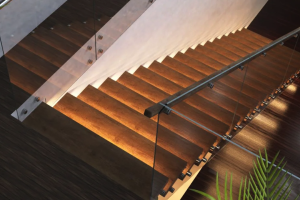

Smart Stair Sensor Lights: Top Energy-Saving Tips for Your Home
Smart stair sensor lights can absolutely save you energy, but it’s not just about having them installed. The real magic happens when you understand how to optimize them for your home’s unique layout and your family’s habits. Think of it less like a magic bullet and more like a smart tool that needs a bit of fine-tuning to reach its full potential. We’re going to dive into the practical ways you can make these lights work smarter, not just harder, to chip away at your electricity bill.
Understanding How Smart Stair Lights Save Energy
Before we get into the nitty-gritty of saving, let’s quickly touch on the basic mechanism. Traditional stair lighting is often left on for extended periods, or it’s controlled by a simple switch that’s easy to forget. Smart stair sensor lights, on the other hand, only activate when motion is detected and then turn off automatically after a set period of inactivity. This fundamentally reduces the “on” time of the lights. But there’s more to it than just detecting movement; the intelligence lies in how that detection is processed and how the lights react.
The Role of Motion Detection
The core of any sensor light is its motion detector. Most smart stair systems use Passive Infrared (PIR) sensors. These sensors detect changes in infrared radiation, which is emitted by warm bodies like humans. When you walk up or down the stairs, your body heat creates a change in the infrared field, triggering the sensor. The sensitivity of these sensors can often be adjusted, which is one of our key areas for optimization. If it’s too sensitive, a pet might trigger it unnecessarily; if it’s not sensitive enough, you might find yourself in the dark.
Ambient Light Sensing Explained
Another crucial component for energy saving is the ambient light sensor. This feature prevents the lights from turning on if there’s already sufficient natural or artificial light in the area. Imagine a sunny afternoon; without an ambient light sensor, your motion detector might still trigger the stair lights, wasting energy. With it, the system knows not to illuminate because it’s already bright enough. This is a critical distinction from simpler, non-smart motion lights and a primary driver of genuine energy savings.
Customizable Timer Settings
Once activated, how long do the lights stay on? This is determined by the timer setting. A common default might be 30 seconds or 1 minute. However, the optimal time depends entirely on how quickly people typically traverse your stairs. If the lights stay on for too long after someone has left the area, you’re losing energy. If they turn off too quickly, people might find themselves in darkness, which is both inconvenient and a potential safety hazard, prompting them to wave their hands to reactivate the lights, thus consuming more energy than necessary. Fine-tuning this setting is key.
Strategic Sensor Placement and Coverage
Where you put your sensors makes a massive difference in their efficiency. It’s not just about getting the lights to turn on; it’s about getting them to turn on only when needed and only for the necessary duration. Poor placement can lead to false triggers, missed detections, and ultimately, wasted energy.
Optimizing Sensor Location at Top and Bottom
The most common placement for stair sensors is at the top and bottom of the staircase. This makes sense, as these are the entry and exit points. However, the exact spot within these areas matters. Ideally, sensors should be placed where they can detect an approaching person before they are fully on the stairs, but not so far away that they pick up motion from unrelated areas like a hallway or living room.
Consider the line of sight. Is there furniture blocking the sensor’s view? Is it too high or too low to effectively detect motion at knee or waist height? A good rule of thumb is to place them at a height where they can easily “see” a person’s movement without being obscured. Experimentation might be necessary here, as every home layout is unique.
Minimizing False Triggers from Adjacent Areas
False triggers are the enemy of energy efficiency. A sensor that constantly turns on because it picks up movement from a nearby doorway, a pet walking by, or even curtains swaying in a draft will quickly negate any energy savings. To combat this, consider sensors with adjustable detection zones or “masking” capabilities.
Some advanced systems allow you to define specific areas the sensor should monitor and ignore others. If your system doesn’t have this, strategic placement becomes even more critical. Try to position the sensor so its field of view is narrowly focused on the stair path. Angling the sensor slightly can help direct its detection cone away from high-traffic adjacent areas. Even small objects can sometimes create enough reflection or shadow movement to trick a basic sensor, so be mindful of your surroundings.
Ensuring Full Staircase Coverage
For longer or winding staircases, a single sensor at the top and bottom might not be sufficient. You want to ensure that as someone ascends or descends, the lights remain active throughout their journey. If the lights turn off prematurely mid-flight, it’s not only annoying but also unsafe.
For very long staircases, you might need an intermediate sensor. However, the goal is not to have an excessive number of sensors, as each one adds complexity and potential for false triggers. Instead, focus on sensors with a wide enough detection range to cover the entire path. If your system allows for zones or sequential lighting, ensure these are configured so that as one sensor “hands off” detection to the next, the lights stay on seamlessly.
Fine-Tuning Settings for Maximum Savings
Once your sensors are in place, the real energy savings come from tweaking their operational settings. This is where “smart” truly comes into play, allowing you to customize the system to your family’s specific needs and routines.
Adjusting Motion Sensitivity
Most smart stair sensor lights allow you to adjust the sensitivity of the motion detector. This is crucial for preventing false triggers from pets or minor disturbances.
- Too sensitive: Your cat walking by might activate the lights, or even a strong draft causing curtains to billow. This is wasted energy.
- Not sensitive enough: You might find yourself having to wave your hand to trigger the lights, or they might not turn on until you’re already several steps up, which isn’t ideal for safety or convenience.
The sweet spot is where the sensor reliably detects a human walking at a normal pace but ignores smaller movements. Start with a medium setting and adjust incrementally. Observe over a few days: Are there instances where the lights turn on unexpectedly? Are there times they should have turned on but didn’t? Make small adjustments and re-evaluate.
Optimizing the “Lights On” Duration
This is arguably one of the biggest opportunities for energy saving. Every second the lights are on unnecessarily is wasted electricity.
- Too short: If the lights turn off before someone has completely ascended or descended, they’ll be plunged into darkness or forced to reactivate the lights. This is frustrating and unsafe.
- Too long: If the lights stay on for 2-3 minutes after someone has passed, that’s potentially 1.5 to 2.5 minutes of wasted electricity per activation.
Consider the typical speed at which people use your stairs. Time yourself walking up and down at a comfortable pace. Add a few extra seconds for comfort and safety. For most residential stairs, a duration between 20 to 60 seconds is usually sufficient. Again, this requires observation and iteration. If family members complain the lights turn off too soon, add a few seconds. If you notice them staying on long after everyone has cleared the area, reduce the time.
Leveraging Ambient Light Thresholds
The ambient light sensor is your best friend for daytime energy savings. It ensures your stair lights only activate when truly needed, even if motion is detected.
Most systems allow you to set a lux (unit of illuminance) threshold.
- High threshold: The lights will only come on when it’s quite dark. This maximizes savings but might mean the stairs are dimly lit on overcast days.
- Low threshold: The lights will come on even in moderate daylight, reducing savings but ensuring the stairs are always well-lit.
The goal is to find a balance. During daylight hours, you typically want the lights to stay off unless it’s genuinely gloomy. Consider your home’s natural light. Do your stairs get direct sunlight? Are they in a darker, central part of the house? Test different thresholds at various times of day. You want the lights to activate only when you would naturally feel the need to flip a light switch if it were a manual system. This feature is paramount for preventing unnecessary activations during the day.
Smart Features and System Integration
Modern smart stair sensor lights offer more than just basic motion detection. Integrating them into a broader smart home ecosystem can unlock even greater energy savings and convenience.
Scheduling and Timed Modes
While motion sensors handle most of the automation, schedules can provide an extra layer of control and savings. For example:
- Night mode: You might want the lights to be more sensitive or stay on slightly longer during late-night hours when visibility is critical and interruptions are minimal.
- Daytime standby: During peak daylight hours (e.g., 9 AM to 5 PM), you could set the ambient light sensor threshold higher, ensuring lights only come on if it’s exceptionally dark.
- Reduced illumination: Some systems allow for different brightness levels. During the night, you might only need 20-30% brightness for safe navigation, saving significant energy compared to full brightness. You could schedule this lower brightness for specific overnight hours.
These schedules override or augment the sensor’s natural operation, allowing for highly customized energy management based on predictable patterns of use throughout the day and week.
Integrating with Other Smart Home Devices
The true power of smart systems lies in their ability to communicate with each other.
- Smart Hub Integration: Connecting your stair lights to a central smart home hub (like Apple HomeKit, Google Home, Amazon Alexa, SmartThings, or Zigbee/Z-Wave hubs) opens up a world of possibilities.
- “Away” Mode: When your entire smart home goes into “away” mode (e.g., via geo-fencing or manual activation), your stair lights could be configured to have an even higher ambient light threshold or a shorter “on” duration, conserving power while no one is home.
- Security Integration: If your security system detects an intrusion, your stair lights could be programmed to flash or stay on continuously, acting as a visual deterrent. While not directly energy-saving, it demonstrates the versatility.
- Voice Control: While not an energy-saving feature itself, voice control offers convenience and can sometimes prevent unnecessary manual light activation if someone is struggling to find a switch in the dark.
- Occupancy Sensing: More advanced systems might use occupancy sensors (which differentiate between presence and transient motion) rather than just motion sensors. If the system knows someone is still in the vicinity of the stairs (e.g., at the top landing), it can keep the lights on even without new motion, then turn them off once true vacancy is detected.
Zoned Lighting Control
For multi-story homes or long staircases, zoned lighting is a game-changer for energy efficiency. Instead of the entire staircase illuminating, only the segment where motion is detected, or the path immediately ahead, lights up.
- Sequential Illumination: As you step onto the first step, only the first few lights activate. As you move up, the next segment lights up, and the previous ones turn off behind you. This creates a “follow-me” effect that only illuminates the necessary path, drastically reducing the total “on” time for individual lights.
- Segmented Control: If your stairs have a landing, you could have distinct zones for the lower flight, the landing, and the upper flight. A sensor at the bottom only activates the lower flight, and a sensor at the top only activates the upper flight. The landing lights might activate with either. This ensures only the relevant sections are lit.
Implementing zoned control usually requires more sophisticated wiring and a controller that can manage individual light segments or strips. However, the energy savings over time can be substantial, particularly in larger homes.
Maintenance and Troubleshooting for Sustained Savings
Even the smartest systems need a bit of TLC to keep performing at their peak. Ignoring maintenance or issues can silently erode your energy savings.
Regular Cleaning of Sensors and Fixtures
Dust, dirt, and grime can accumulate on motion sensors and light fixtures, impairing their performance.
- Sensor Obstruction: A layer of dust on a PIR sensor can block its field of view, making it less sensitive or causing it to miss detections. This might lead to lights not turning on, or users having to perform exaggerated movements to trigger them, which isn’t efficient or safe. A quick wipe with a soft, damp cloth can often resolve this.
- Light Output Reduction: Dust on light diffusers or bulbs themselves can reduce the effective light output. While this doesn’t directly waste energy (the bulb still draws the same power), it might mean you’re not getting the intended illumination, potentially leading you to increase brightness settings unnecessarily or extend “on” times to compensate, thus indirectly impacting savings.
- Cobwebs and Insects: Spiders love to build webs in hidden corners, and these can obstruct sensors, causing false triggers if the web moves, or preventing legitimate detections. Regular visual checks can catch these issues early.
Firmware Updates and Software Management
Just like your smartphone, smart home devices often receive firmware updates. These updates can include:
- Performance Improvements: Better motion detection algorithms, more accurate ambient light sensing, or more efficient power management.
- Bug Fixes: Resolving issues that might cause lights to stay on unnecessarily or fail to activate.
- New Features: Adding more granular control options for sensitivity, duration, or scheduling.
Always ensure your devices are running the latest firmware. Most smart home apps will notify you of available updates, or you can check manually within the device settings. Neglecting updates can leave you with suboptimal performance and potentially missed energy-saving opportunities.
Troubleshooting Common Issues
Even with careful setup, issues can arise. Knowing how to quickly troubleshoot can prevent prolonged energy waste.
- Lights Not Turning On:
- Check power: Is the circuit breaker tripped? Is the fixture receiving power?
- Check ambient light: Is it too bright for the ambient light sensor to allow activation? Try covering the sensor to test.
- Check motion sensor obstruction: Is anything blocking the sensor’s view? Is it dirty?
- Check sensitivity settings: Has the sensitivity been accidentally lowered too much?
- Connectivity: If it’s a smart system, is it connected to your Wi-Fi/hub? Is the hub online?
- Lights Staying On Too Long / False Triggers:
- Check timer settings: Has the “on” duration been set too high?
- Check motion sensitivity: Is it too high, picking up pets or minor movements?
- Environmental factors: Are there drafts, swaying curtains, or reflections that could be triggering it?
- Placement: Is the sensor picking up motion from an adjacent room?
- Wiring/Faulty Sensor: In rare cases, a sensor might be faulty and stuck in an “on” state or constantly triggering.
- Inconsistent Behavior:
- Interference: Other wireless devices might be causing interference with your smart system’s communication.
- Wi-Fi/Network Issues: A weak Wi-Fi signal can lead to delayed commands or lost communication with your smart hub.
- Firmware Glitch: A simple reboot (power cycling the fixture or hub) can sometimes resolve temporary software glitches.
By staying proactive with maintenance and knowing how to address common problems, you ensure your smart stair sensor lights continue to deliver on their promise of energy efficiency year after year. It’s an investment that pays off, but like any good investment, it benefits from a watchful eye.